iPhone and iPad
- Save the GeoTIFF where you can access it in Files.
- Open Import Map and choose Select from Files.
- Open the imported map, compare several known positions and use Locate to check your location.
 MapNero
MAPNERO FIELD GUIDES
Use your own georeferenced raster map in MapNero. Check its position and detail before relying on it away from a network.
Download free. Features and limits depend on platform, file format and plan. App interface available in 20 languages.
See the steps ↓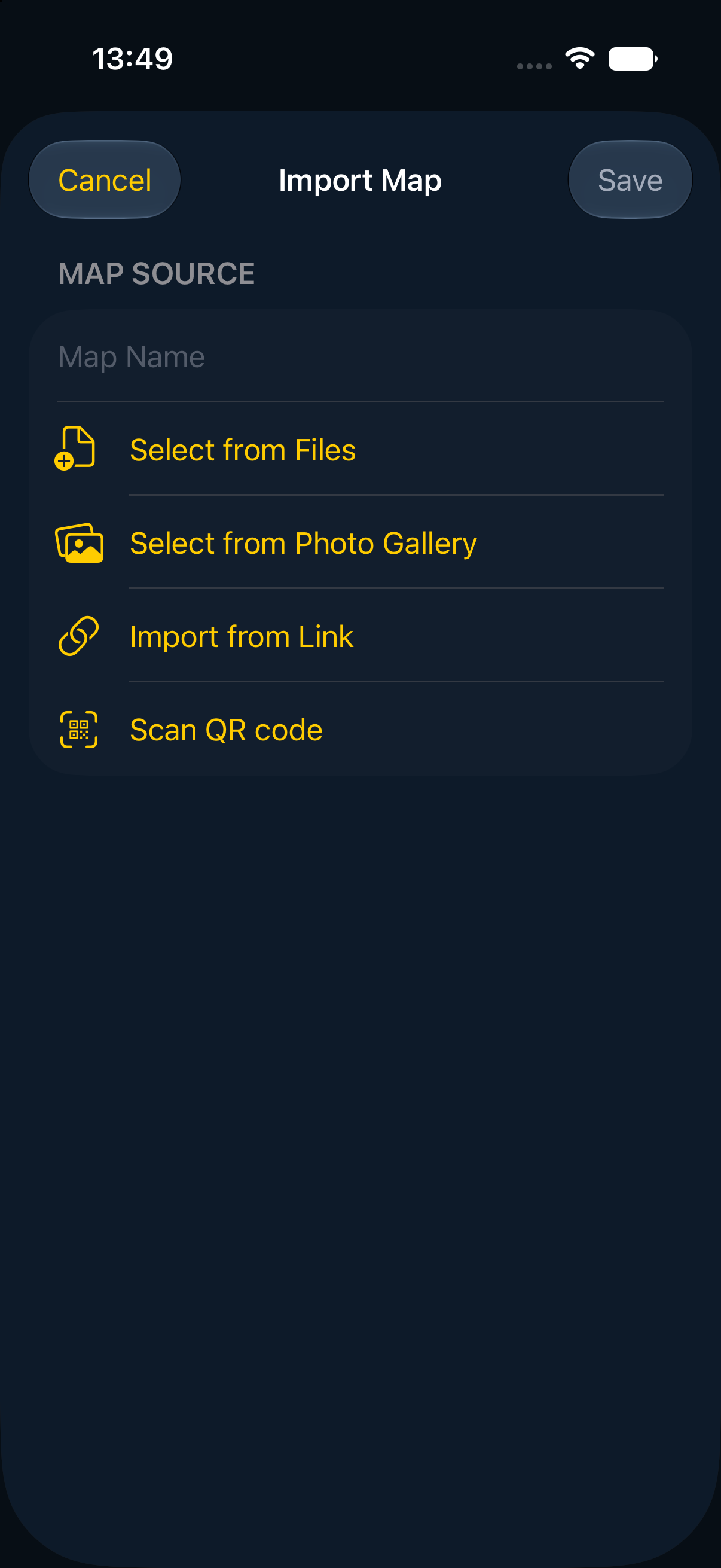
CHECK THE SOURCE FILE
A GeoTIFF carries information about its coordinates and position. Renaming an ordinary image to .tif does not add that information. Keep your original file, check its coordinate reference system and compare known locations after import.
Large rasters and different compression methods can affect whether a file opens. Start with a small sample of your actual map before preparing a large field project.
GeoTIFF handling is more limited on Android. Support depends on the file. Test your own GeoTIFF on the target device before a trip.
If it cannot be opened, use a supported map format such as a georeferenced PDF and check its alignment again. Converting a file does not correct inaccurate source coordinates.
Android import guide →Finish importing the map while you can access the source file. Turn on Airplane Mode, reopen the map and inspect the area and level of detail you need. Download and test any basemap region separately.
An imported map and a downloaded basemap are separate resources. Confirm both before leaving coverage.
No. File size, compression, georeferencing and platform support can affect the result. Test a representative file on your actual device.
No. Source-map accuracy and phone GPS accuracy still matter. Compare independent known landmarks, not only the points used to align a map.
No. They are separate operations. The current mobile export guide lists GeoTIFF export under Core or higher. Check the guide for your platform before choosing a plan.
Guide reviewed 25 October 2026. Menu labels, available formats and plan limits can change. Check the in-app options and linked platform guides.
Start with a small file and confirm the result on your actual device.